
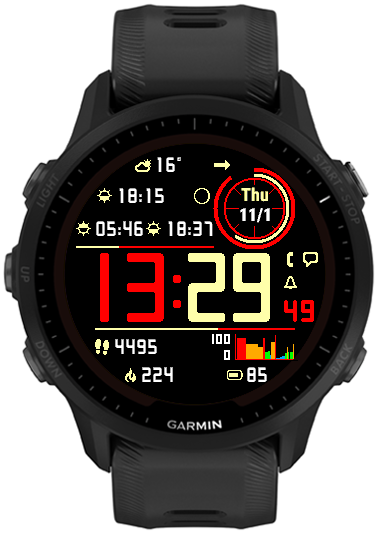
What’s new
This release marks the separation of development for Instinct and other devices. No new features are expected on Instinct 2 / Crossover family because unfortunately these watches have very little memory for watch face use, and with the current set of features it is already full.
The development will continue on other devices, taking advantage of the capabilities that the existing Instincts don’t have.
On most devices:
• Separate options for battery % with and without decimal point
This option is only available on some devices, and it will have effect only if the device is capable of displaying the battery level with 0.1% accuracy (e.g. fenix 6, Instinct). If the decimal point always remains .0 that means your device can only provide the battery level with 1% accuracy.
• Option to show the lines permanently at 100% as a separator
When you use ‘On’ option for the top or the bottom line, it will appear as 100% (full length).
On non-Instinct devices only:
• Multiple data font style/size options
For greater flexibility, several data font options are provided:
Custom S
Custom L
System XS
System S
System M
System L
System XL
‘Custom’ fonts are Instinct Pro’s own fonts that look the same on every device.
‘System’ fonts come from the watch and may look very different (both in shape and size) on different device families.
• Launching widgets by touch (if supported by the device)
This works with the Data 1 – 10, Circle number 1 or 2, and Data right 1 and 2.
It will only have effect if a widget corresponding to the displayed data can be found.
• Weekly activity distance (run, bike, swim, walk)
Displays the distance covered with the respective activity since the beginning of the current week. The first day of the week is defined in Garmin Connect settings. Note that as at the time of writing, Garmin does not synchronize the activities recorded on different devices. So for example, if you use either your watch or your bike computer to record cycling activities, those recorded with the bike computer will not be counted.
• Wheelchair pushes (if supported by the device)
Daily pushes and pushes goal can be selected as an option on some devices. Also, if the device is in wheelchair mode, the daily and weekly distance will show the pushes distance.
• Solar charging graph (60 minutes)
Shows the solar charging level on scale from 0 to 100, sampled once every full minute.
Of course it only works on devices with solar charging capability.
• Support for Tempe sensor (requires an activity in the background)
If you have a Tempe sensor paired to your watch and you start an activity, this will show the temperature reading from the sensor. The reading is updated once every 5 minutes – this is the maximum frequency allowed for a watch face.
On some devices it will show the readings from the internal watch sensor when Tempe is not connected, but still only updated at 5 minute intervals.
• Aviation style wind option
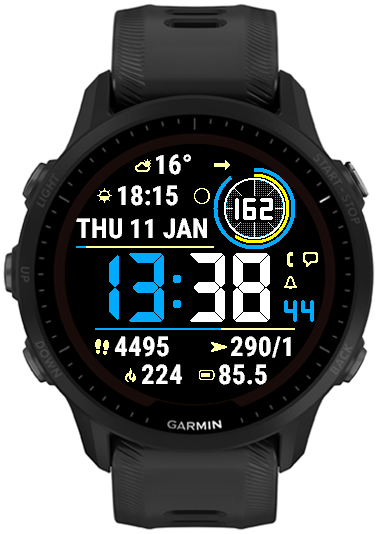
This option will show BBB/KK, where BBB is the 3-digit bearing rounded to 10 degrees and KK is the wind speed in knots.
• Day and month name can be displayed in ALL CAPS
Additional date format characters are recognized: ‘c’ will show the day name in all caps, e.g. MONDAY, and ‘C’ will do the same for the month, e.g. MAY.

Of course there is a way. You can find the link in the settings, or on the download page.
No way of buying?
Complimenti SVILUPPATORE ,quadrante ricco di funzioni e pensato anche per me che non sono giovane , e riesco a leggerlo bene con il mio garmin fenix 6 pro 52 .la ringrazio e salutando le auguro buona vita